Exploring ZenCreator? Create portraits, product visuals, and scene ideas in SeaDance. Start with text or a reference, refine your image, then bring it into motion.
Three visual directions, each with a brief you can copy and make your own.
PORTRAIT / 01
An editorial moment
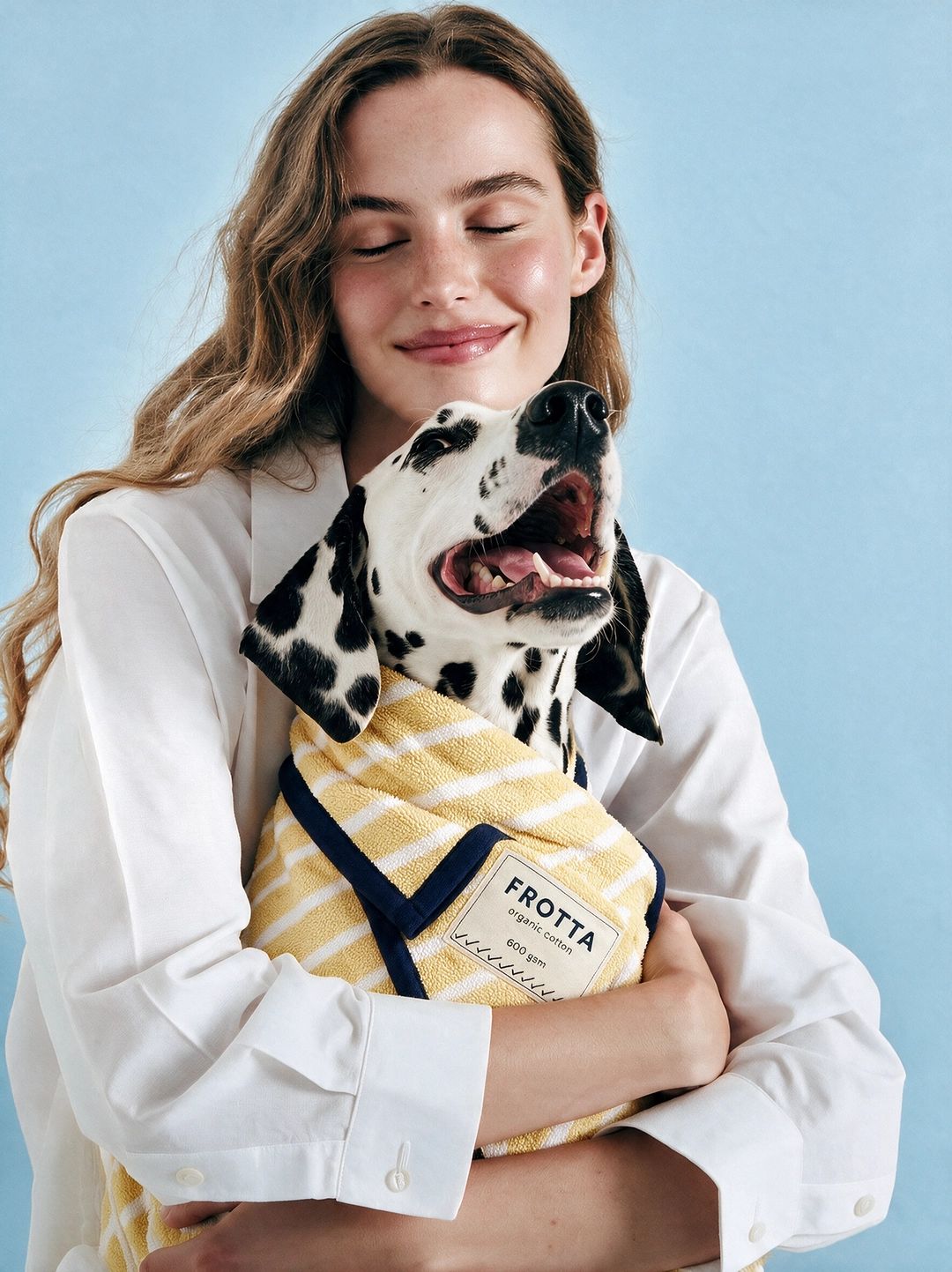
An editorial portrait of an adult woman in a white shirt holding a Dalmatian, soft blue studio backdrop, natural window light, relaxed expression, carefully framed hands, realistic fabric and fur, vertical composition.
PRODUCT / 02
Make the product the story
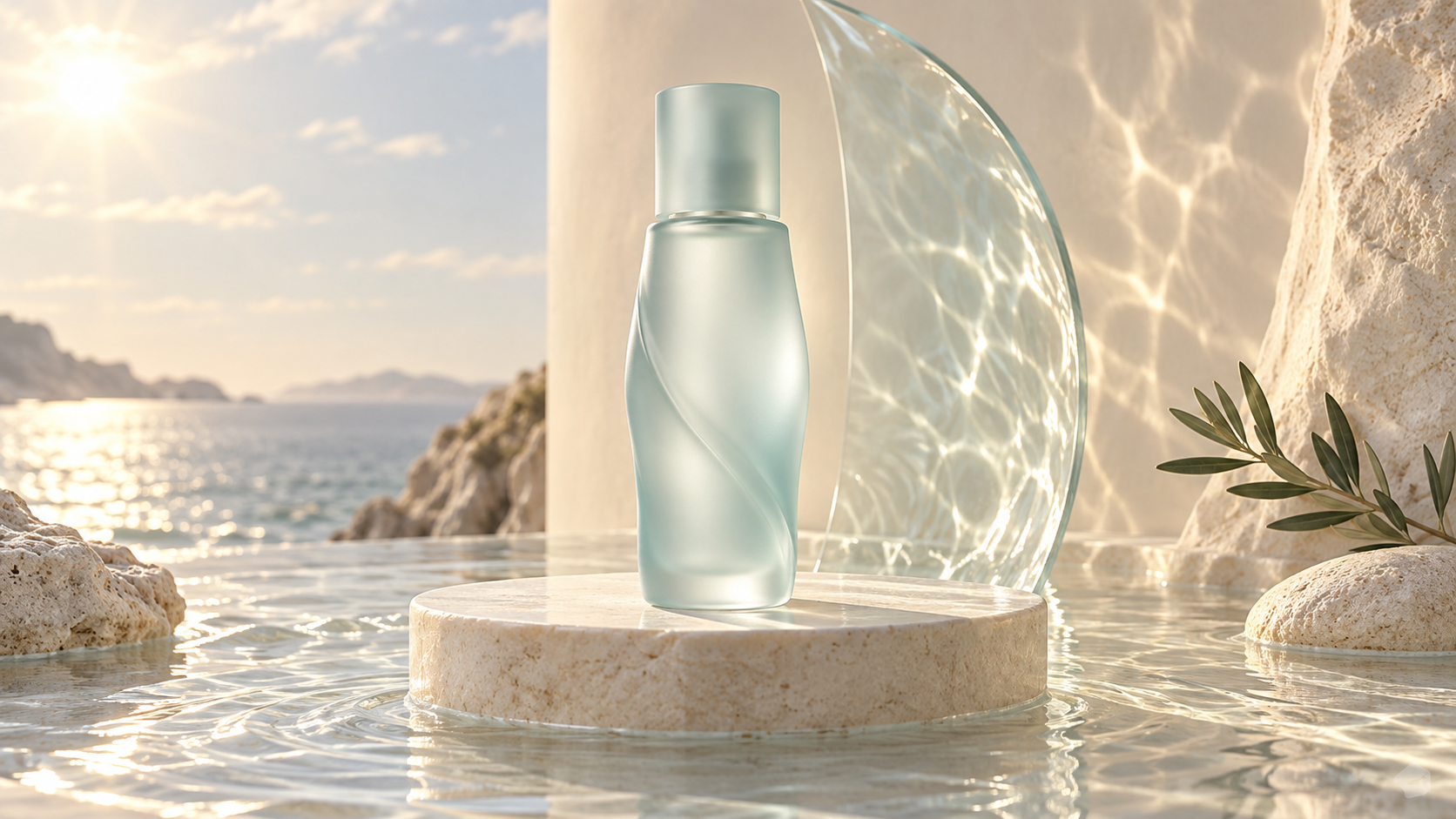
A pale green glass skincare bottle on a round limestone plinth beside the sea, warm morning light, soft water reflections on the wall, uncluttered composition, realistic glass, space around the product, no added text.
CONCEPT / 03
Go beyond the everyday
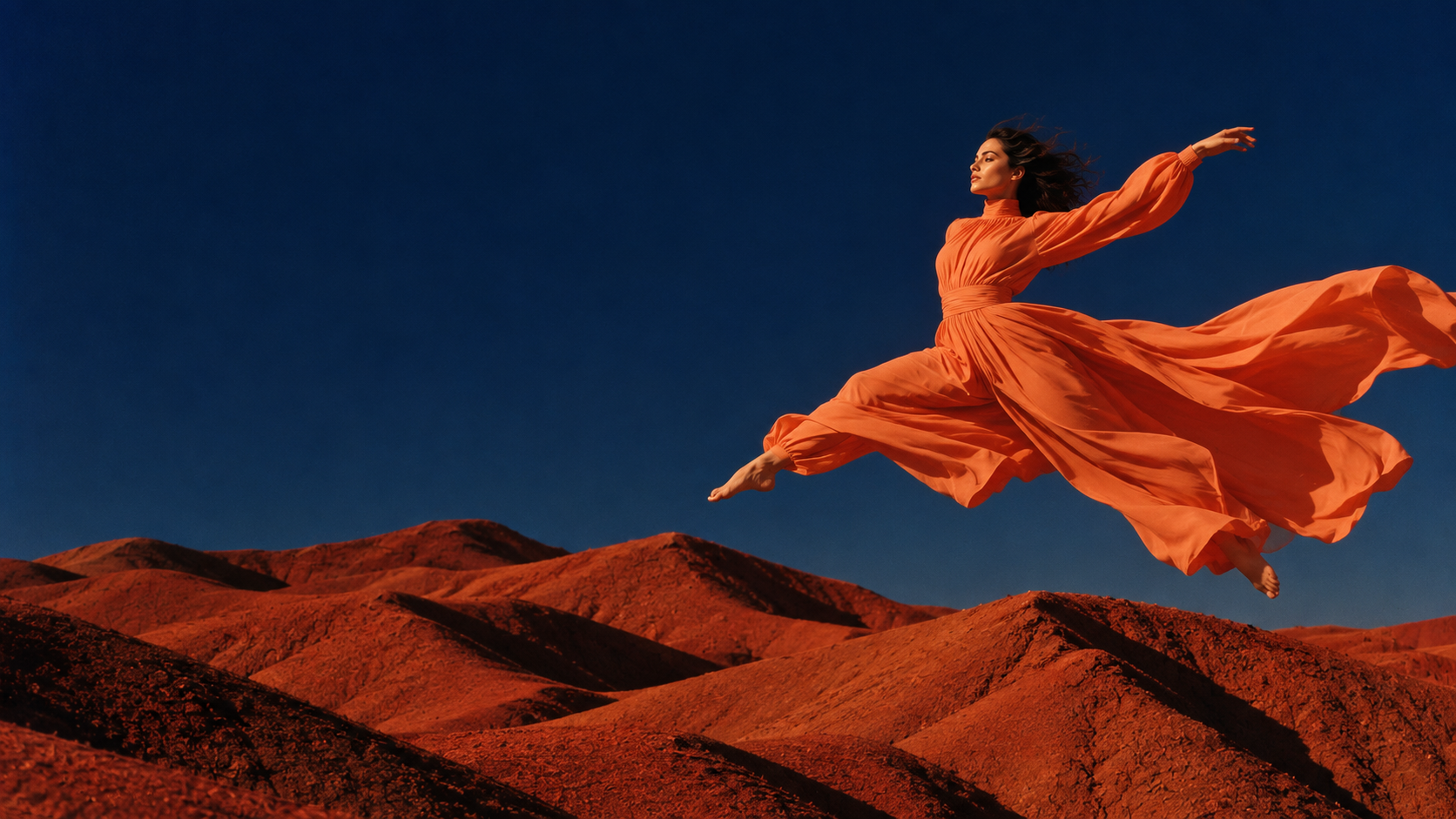
An adult dancer in a flowing orange dress leaping above a rust-red desert, deep blue sky, wide editorial composition, sculptural fabric movement, late afternoon light, a clear silhouette, no added text.
Creative direction examples from SeaDance assets. Sample briefs are starting points; results will vary.
MAKE IT IN SEADANCE
Your image. Your direction.
Create with SeaDance's image tools. Choose a model, write your brief, and check the credit estimate before generating.
ZenCreator is a separate AI photo and video platform. If you are exploring another way to develop your visuals, this page brings together SeaDance's image generation, reference editing, and image-to-video tools. Choose a starting point that fits the work you want to make.
Real model choicesCredits shown before generationYour own creative direction
A FEW THINGS TO KNOW
ZenCreator, SeaDance, and your next idea.
Choose the workflow with a clear picture of how it works.
What is ZenCreator?
ZenCreator is a separate platform for AI photo and video creation. This page introduces SeaDance workflows for creating images, refining references, and exploring video ideas.
Is this the official ZenCreator service?
No. This is a SeaDance page. The tools, models, accounts, and credits used here belong to the SeaDance service. SeaDance is not affiliated with ZenCreator.
How can I use SeaDance as a ZenCreator alternative?
Start with the image workspace on this page for a text-led visual or a reference edit. If you want to animate a finished image, open SeaDance's image-to-video tool. Choose the workflow that matches your project rather than expecting identical features or results across services.
Can I start with an existing image?
Yes. Use image-to-image to guide a new visual with a reference, or image-to-video to develop a moving scene from a still. Available controls depend on the selected model.
Can I use my ZenCreator credits here?
No. SeaDance accounts and credits are separate. Review the current generation estimate and SeaDance pricing before submitting a task.
Were the example images made with ZenCreator?
The artwork on this page comes from SeaDance's existing creative assets and illustrates possible visual directions. It is not a ZenCreator benchmark or a claim that a sample prompt will reproduce the same image.
An outfit change shown alongside the original portrait, illustrating preservation of facial features.
Reference prompt
Edit the uploaded portrait: replace the clothing with an elegant ivory tuxedo jacket, white shirt and black bow tie. Preserve the person's recognizable facial features, age, skin tone, hairstyle, pose and framing. Keep a softly lit blue studio background and natural photographic skin texture. Return a single edited portrait, without comparison panels or text.
A suggested prompt inspired by this example, not the original. Results will vary. Upload your own reference image to try this edit.
 PORTRAIT / 01